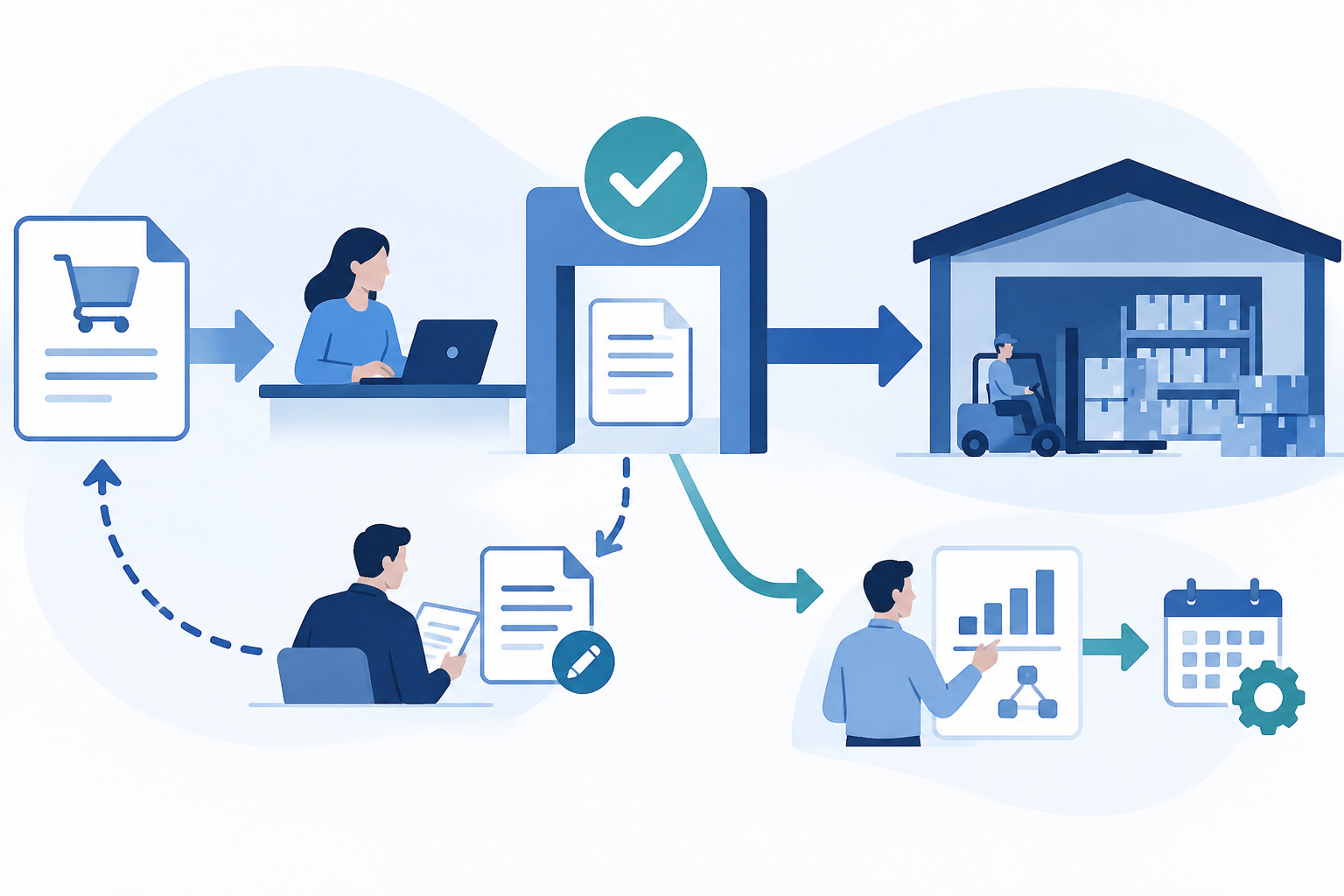
Purchase order approvals in Dynamics 365 Supply Chain Management combine workflow routing with change management. Reapproval needs another connection: purchasing policy rules must be evaluated by the workflow. This guide explains how to put those controls together, avoid unnecessary reviews and account for exceptions such as purchase orders created by firming planned orders.
Define the approval control before configuring it
Start with the business decision you want to control. Which purchases need another person's approval, who should decide, and which later changes should trigger another review? Write those answers down before building routing rules. This helps separate necessary financial control from routine administrative work.
Microsoft documents both purchase order workflows and purchase order line workflows. Choose the level that matches the decision being made rather than assuming every order needs the same review structure. For this guide, the starting point is a purchase order workflow.
Before configuring the workflow, confirm the prerequisites and purchasing policies that apply to your environment.
Microsoft sources: Approve and confirm purchase orders – Supply Chain Management | Dynamics 365 | Microsoft Learn; Procurement and sourcing workflows – Supply Chain Management | Dynamics 365 | Microsoft Learn.
Build routing and establish the change management scope
Go to Procurement and sourcing > Setup > Procurement and sourcing workflows and select Purchase order workflow. Configure the approval steps and the people responsible for them. Document the intended route so procurement and the workflow administrator share the same expectations.
Supported assignment approaches include users, groups or roles, organizational hierarchies, workflow users and queues. Select an approach that reflects how responsibility is maintained in your organization. Microsoft also documents automatic approvals and escalation, which can help avoid sending every decision through the same manual route.
Enable Activate change management in Procurement and sourcing parameters. Microsoft supports vendor-specific scope and individual purchase order overrides. Review these settings deliberately: a workflow design is not enough if the orders you intend to control can fall outside its scope.
Microsoft sources: Approve and confirm purchase orders – Supply Chain Management | Dynamics 365 | Microsoft Learn; Procurement and sourcing workflows – Supply Chain Management | Dynamics 365 | Microsoft Learn.
Understand what approval changes operationally
Purchase orders subject to change management start in Draft. Microsoft states that inventory transactions are created only when the order reaches Approved. Approval turnaround therefore affects more than an inbox: it can affect when those inventory transactions become available.
Approval and confirmation are separate steps. A purchase order must be approved before it can be confirmed. Make that distinction clear in operating procedures so buyers do not treat completion of internal approval as completion of the confirmation process.
There is an important exception for planning teams. Purchase orders created by firming planned orders start as Approved regardless of change management settings. Include that route in your control assessment rather than assuming the initial approval gate covers every purchase order.
Microsoft sources: Approve and confirm purchase orders – Supply Chain Management | Dynamics 365 | Microsoft Learn.
Connect reapproval rules to the workflow condition
For an approved or confirmed purchase order, Request change returns the order to Draft. Whether the changes require another approval depends on configuration. Decide which changes deserve renewed scrutiny and which should not require another manual decision.
The optional Reapproval rule for purchase orders in purchasing policies identifies changed fields that require reapproval. However, configuring that policy is not the complete solution. The workflow must include the Requires purchase order reapproval condition to evaluate those fields.
Review the policy and workflow together. A useful design exercise is to trace two examples: a change intended to require approval and a change intended to be exempt. For each example, explain which field rule is evaluated and how the workflow should route the order.
Microsoft sources: Approve and confirm purchase orders – Supply Chain Management | Dynamics 365 | Microsoft Learn; Purchasing policies overview – Supply Chain Management | Dynamics 365 | Microsoft Learn.
Avoid unintended reapproval from accounting distributions
Microsoft documents a subtle interaction: changing an approved purchase order that uses change management always resets its accounting distribution. If Accounting distribution.changed is included in the reapproval criteria, that reset can undermine attempts to exempt other field changes.
Where the intention is to allow certain changes without reapproval, Microsoft advises excluding that criterion. Do not remove it simply to reduce approval volume. First agree whether accounting distribution changes are part of your required control, then check that the combined configuration delivers the intended outcome.
Cancellation also needs attention. Microsoft states that cancellation changes require workflow submission. Include cancellation in buyer guidance rather than treating it as an action outside the approval process.
Microsoft sources: Approve and confirm purchase orders – Supply Chain Management | Dynamics 365 | Microsoft Learn; Purchasing policies overview – Supply Chain Management | Dynamics 365 | Microsoft Learn.
Validate the full order lifecycle before rollout
Use a sandbox to validate initial approval, a change requiring reapproval, an exempt change, cancellation and planned order firming. Include representative vendor and individual order override settings in the scenarios.
For each case, record the expected status, recipient and next action. Check that a buyer can distinguish approval from confirmation and that the inventory transaction timing matches the documented behavior. Investigate unexpected routing before expanding the rollout.
The practical goal is selective control: purchases reach the right decision maker, material changes return for review, and agreed exceptions avoid unnecessary manual work. Keep workflow routing, reapproval policy and operational guidance aligned whenever the purchasing process changes.
Microsoft sources: Approve and confirm purchase orders – Supply Chain Management | Dynamics 365 | Microsoft Learn; Procurement and sourcing workflows – Supply Chain Management | Dynamics 365 | Microsoft Learn; Purchasing policies overview – Supply Chain Management | Dynamics 365 | Microsoft Learn.
Watch the purchase order workflow walkthrough
🎥 For a practical walkthrough of approval steps, conditions and user assignments, watch Purchase order Workflow Configuration on D365 Insider. Use the Microsoft sources above to check the current documented behavior.
Explore more D365 learning
📚 Explore more updates on the D365 Insider Blog.
Prepared with AI assistance using official Microsoft documentation. Feature availability and details may change; consult the linked Microsoft sources for the latest information.

Leave a Reply