Dynamics 365 Supply Chain Management 10.0.49 brings the Supplier Engagement preview alongside updates to planning, procurement, production and warehouse operations. Here are the main changes in D365 Supply Chain 10.0.49, with practical examples and the preview features clearly marked.
🔎 The key changes: the Supplier Engagement app and portal in preview, more precise planning rules, financial tags on purchasing documents, new warehouse integration options, and previews for production batch reservations and inventory transaction consolidation.
Microsoft’s release notes list build 10.0.2790, with self-update availability in September 2026 and auto-update availability in October 2026. Check the schedule for your environment before planning deployment. Sources checked on 24 September 2026.
Microsoft’s full 10.0.49 release notes
Preview: manage supplier relationships with Supplier Engagement
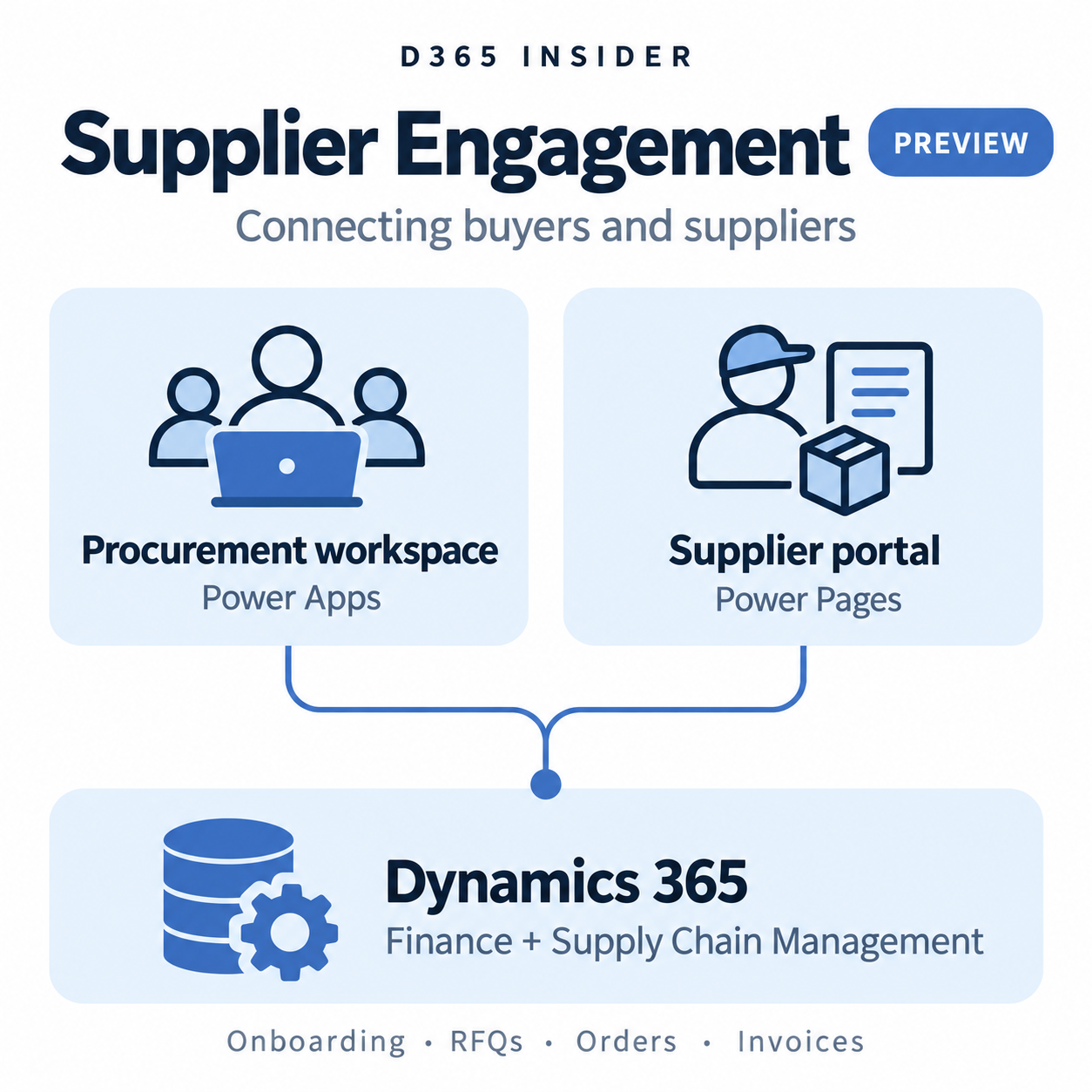
Supplier Engagement brings a new procurement workspace and supplier portal to Dynamics 365. The internal app uses Power Apps, while suppliers work through a Power Pages portal connected to Supply Chain Management and Finance.
Procurement teams can manage supplier onboarding and qualification, certificates and risks. Suppliers can respond to requests for quotation (RFQs), review purchase orders, submit invoices and update their own information.
A useful change for organisations with several companies is the global vendor record. It holds shared supplier information across legal entities, while local vendor accounts support transactions in each company.
Status: preview. Microsoft lists Supplier Engagement in the 10.0.49 release notes. Its release plan records public preview from 27 July 2026 and planned general availability in March 2027. That future date can change. The preview is for evaluation, not production use; review the deployment requirements before testing.
Read Microsoft’s Supplier Engagement overview · Check the release plan and availability
Planning: transfer dates that reflect pickup availability
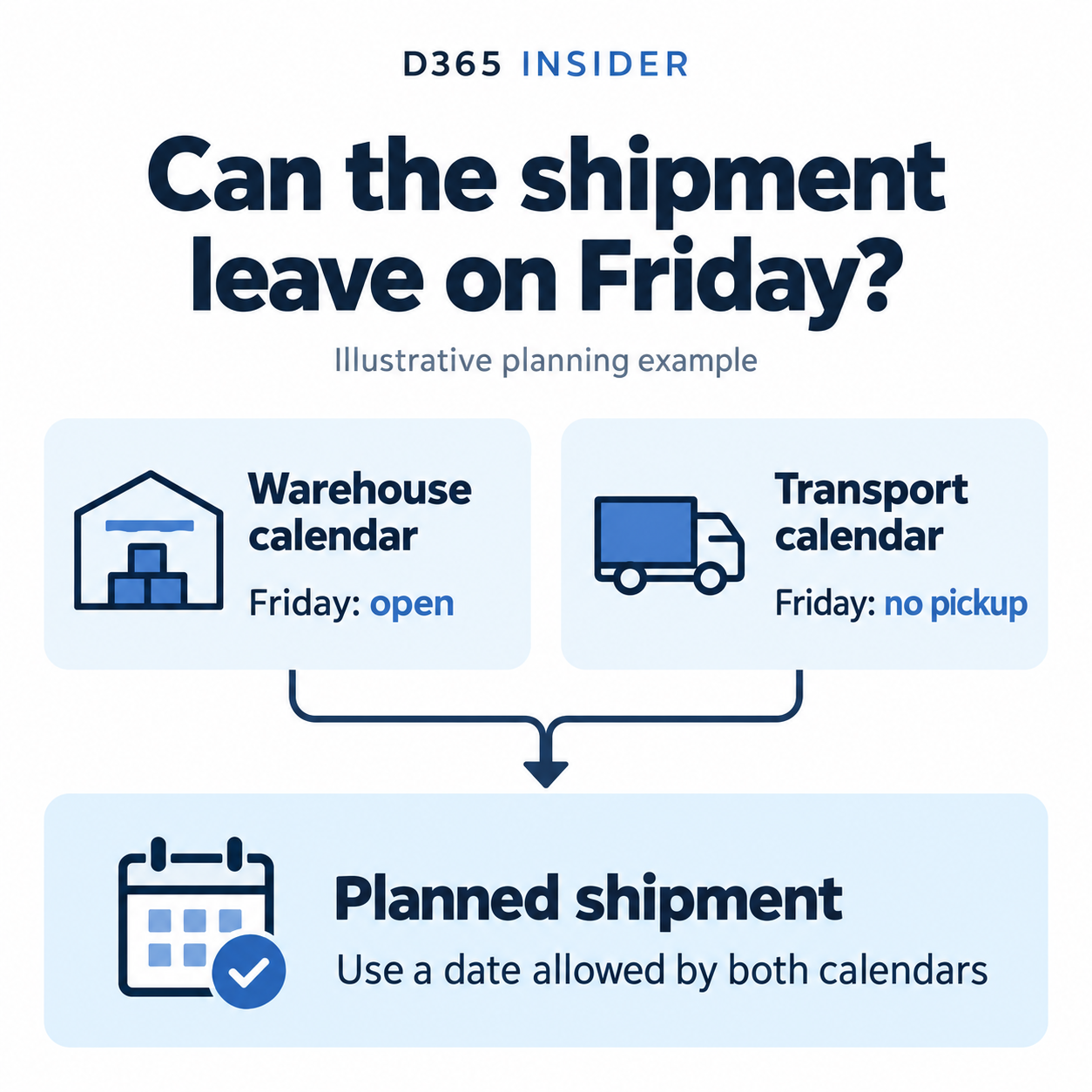
Planning Optimization can now take account of pickup restrictions on the transport calendar as well as the issuing warehouse’s calendar. A planned transfer shipment must have a date that works for both.
For example, a warehouse might be open on Friday while the selected transport service cannot collect that day. With the feature enabled, the planning calculation respects that restriction instead of treating the warehouse’s opening alone as sufficient.
Receipt dates change too: when a receiving warehouse has its own calendar, that calendar takes precedence over the coverage group calendar. Test both shipping and receiving dates when evaluating the feature.
To use it: enable the relevant transport calendar pickup feature in Feature management on version 10.0.49 or later.
Read Microsoft’s calendar guidance
Planning: more precise supply forecast reduction
Supply forecasts can specify a sub-BOM and sub-route. The new forecast reduction option makes Planning Optimization consider those values when deciding whether an existing order reduces a forecast line.
A transaction with a conflicting BOM or route does not reduce that line. A blank value on the transaction can still qualify, so an exact match is not always required.
For manufacturers using different production structures for the same item, this distinction helps explain why the remaining forecast can change after enabling the feature.
To use it: enable the forecast reduction feature for BOMs and routes in Feature management, then compare forecast consumption using representative orders.
Read Microsoft’s supply forecast examples
Planning: coverage time fences for derived demand
Another new option applies coverage time fences to derived requirements. These include demand generated by planned transfer orders and BOM components.
When enabled, Planning Optimization does not replenish derived demand that falls outside the applicable coverage horizon. This matters when a component or replenishing warehouse has different time fence settings from the finished product or destination warehouse.
To use it: enable the feature that applies coverage time fences to derived requirements in Feature management. Review component and warehouse coverage settings before comparing the resulting planned orders.
Read Microsoft’s coverage time fence guidance
Procurement: financial tags across purchasing documents
Financial tags add reporting context to purchases. In 10.0.49, they can be used across procurement documents, including requisitions, purchase orders, agreements and requests for quotation.
Tag values pass from document lines to the next document. Changing a source document later does not retroactively change documents already created from it.
For example, an internal initiative can have a reporting tag that follows its requisition lines into the resulting purchase order. Individual lines can carry different values.
To use it: enable financial tags for purchase order invoicing, configure the required tags, and check the default values and how they pass between documents. Posted values are read-only.
Read Microsoft’s procurement financial tag guidance
Warehouse management: inbound ASN message processing
Inbound advanced shipping notices can be imported as despatch advice messages. The message processor handles these asynchronously, with support for dependencies between messages.
This allows an integration to process the source order before the shipping notice that references it. Corrections can also be sent as complete replacement documents.
The capability applies to WMS-enabled items, and the referenced purchase order or inbound shipment order must already exist before processing. Direct ASN import through data entities remains available.
Read Microsoft’s despatch advice documentation
Warehouse management: separate inventory owners by location
A constraint on the location profile can prevent inventory belonging to different owners from sharing a location. This supports scenarios such as consignment and warehouses handling stock for multiple parties.
The rule uses the inventory Owner dimension. An empty owner value is treated as its own value, so it cannot simply be mixed with stock carrying a named owner.
To use it: review the location profiles and ownership setup, then configure the constraint for the locations where segregation is required.
Read Microsoft’s inventory owner guidance
Warehouse integration: translate inventory status identifiers
External warehouse systems and Supply Chain Management do not always use the same names for inventory statuses. Source system inventory status mapping provides a translation between them.
For instance, an external inspection status can be mapped to the corresponding internal status when shipment updates are processed. If no mapping exists, the value is processed without conversion, so complete mapping coverage matters.
To use it: configure mappings under Warehouse management > Setup > Warehouse management integration > Source system inventory statuses. Each mapping must be unique in both directions within its source system.
Read Microsoft’s inventory status mapping guidance
Preview: same-batch selection for production
Same-batch selection extends to raw material reservations for production and batch orders. It can keep the quantity required by a BOM or formula line within one inventory batch.
This is relevant when a material must come from a consistent batch. Microsoft documents support for products tracked by batch, without serial tracking. WMS scenarios require a reservation hierarchy with the batch dimension above location.
Status: preview. Enable the production same-batch feature only for evaluation in a suitable test environment. Microsoft states that preview features are not intended for production use.
Read Microsoft’s same-batch production guidance
Preview: inventory transaction consolidation
Inventory transaction consolidation is designed to reduce the volume of detailed records in the active inventory transaction table. Eligible historical transactions move to an archive table, with summarized records retained where applicable.
This has consequences beyond storage. Consolidated periods restrict operations that need the original transactions, including some returns and adjustments. Inventory reports can show consolidated values, and inventory closing cannot be cancelled for consolidated periods.
Status: preview. Before testing, read the eligibility rules and check how consolidation would affect returns, adjustments and inventory closing.
Read Microsoft’s consolidation requirements
Feature status matters when you upgrade
10.0.49 also changes the status of existing capabilities. Dynamic work classification becomes generally available and enabled by default. Advanced quality management becomes mandatory.
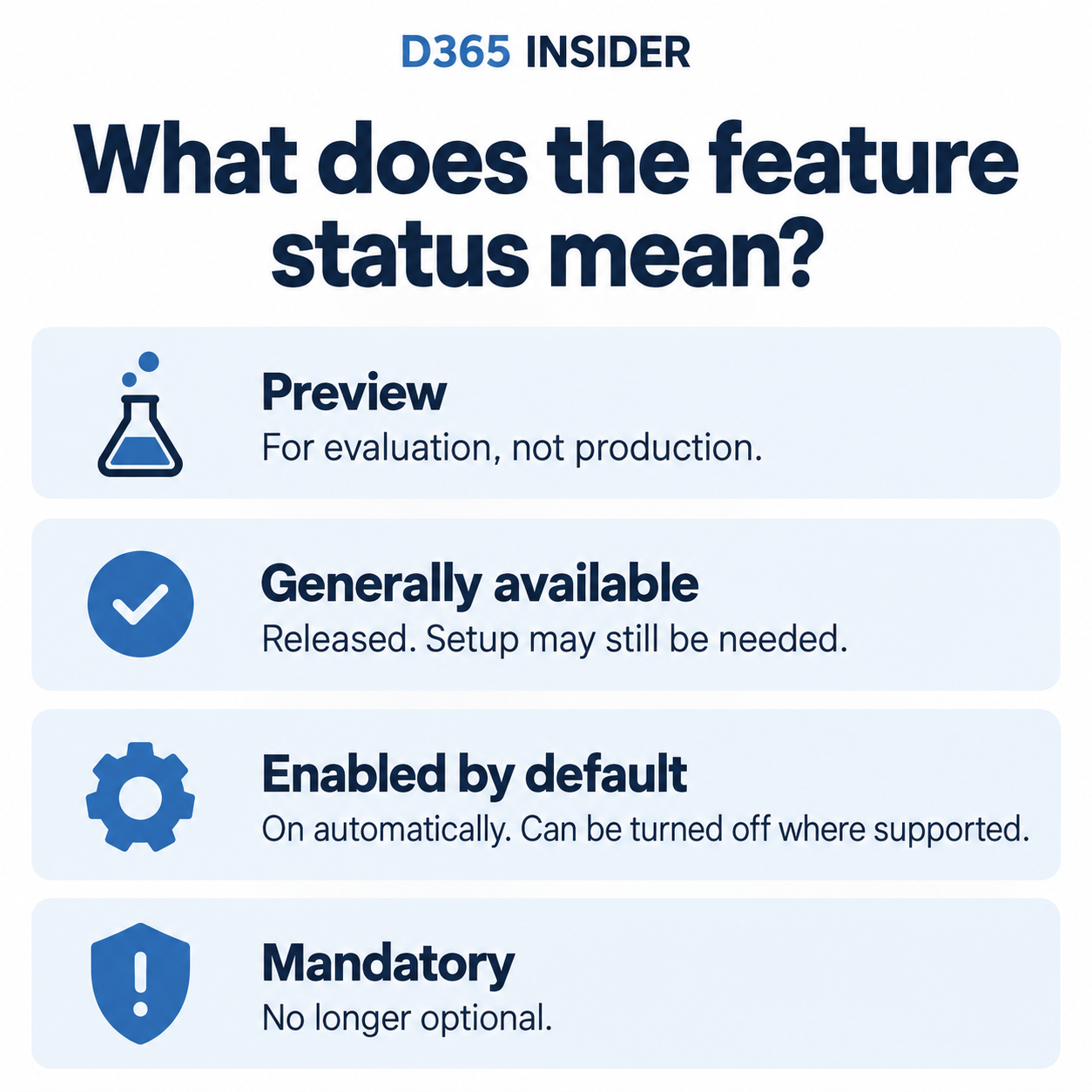
These terms mean different things:
- Preview: an evaluation capability with potential limitations.
- Generally available: released, but additional activation or setup may still be required.
- Enabled by default: switched on automatically, with an option to turn it off where supported.
- Mandatory: no longer optional.
Check the complete release notes for the status of every feature relevant to your processes. Removal from Feature management can mean a capability is permanently integrated, rather than removed from the product.
Review the full feature status tables
Watch related procurement learning
To revisit the underlying procurement process, watch Purchase order Workflow Configuration and Procurement Reports and Workspaces from the D365 Insider F&O course. These are background lessons, not demonstrations of the new Supplier Engagement preview. Both videos open in a new tab.
Explore more D365 learning
For practical demonstrations and learning resources, visit 📚 Learn D365. Find future Finance, Supply Chain Management and D365 AI agent articles on the 📰 D365 Insider Blog.
Prepared with AI assistance using official Microsoft documentation. Feature availability and details may change; consult the linked Microsoft sources for the latest information.

Leave a Reply